
For sole traders in Australia, NZ, the UK, Canada and the US
Tax invoices, GST and your BAS. No monthly fee.
Wattlebooks is a free, open-source invoicing app for tradies and freelancers on Windows, Mac and Linux. It runs on your own computer, so your books stay with you.
Wattlebooks runs on your computer. Open this page on it to download.
Windows installs from the Microsoft Store. Or download a file: Mac with Apple silicon, Mac with Intel, Linux or the Windows .exe.
Free and open source. See what each country gets.
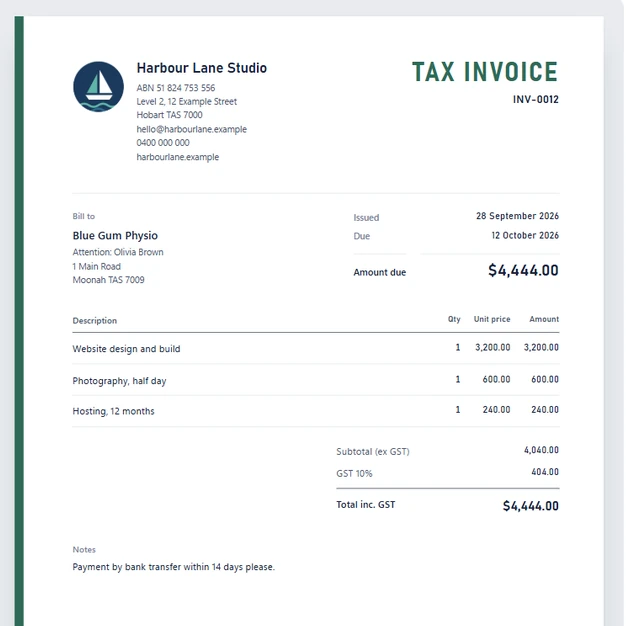
Here's our invoice to you
No subscription, no per-invoice fee and no limit on clients. The code is MIT licensed, so it stays free.
Tax invoice
Wattlebooks
Billed to: you
| Description | Amount |
|---|---|
| Monthly subscription | $0.00 |
| Fee per invoice sent | $0.00 |
| Extra clients, users or reports | $0.00 |
| GST (10%) | $0.00 |
| Total inc. GST | $0.00 |
See it in under a minute
Your first tax invoice, a receipt read for you, your BAS figures and the five countries it's set up for.
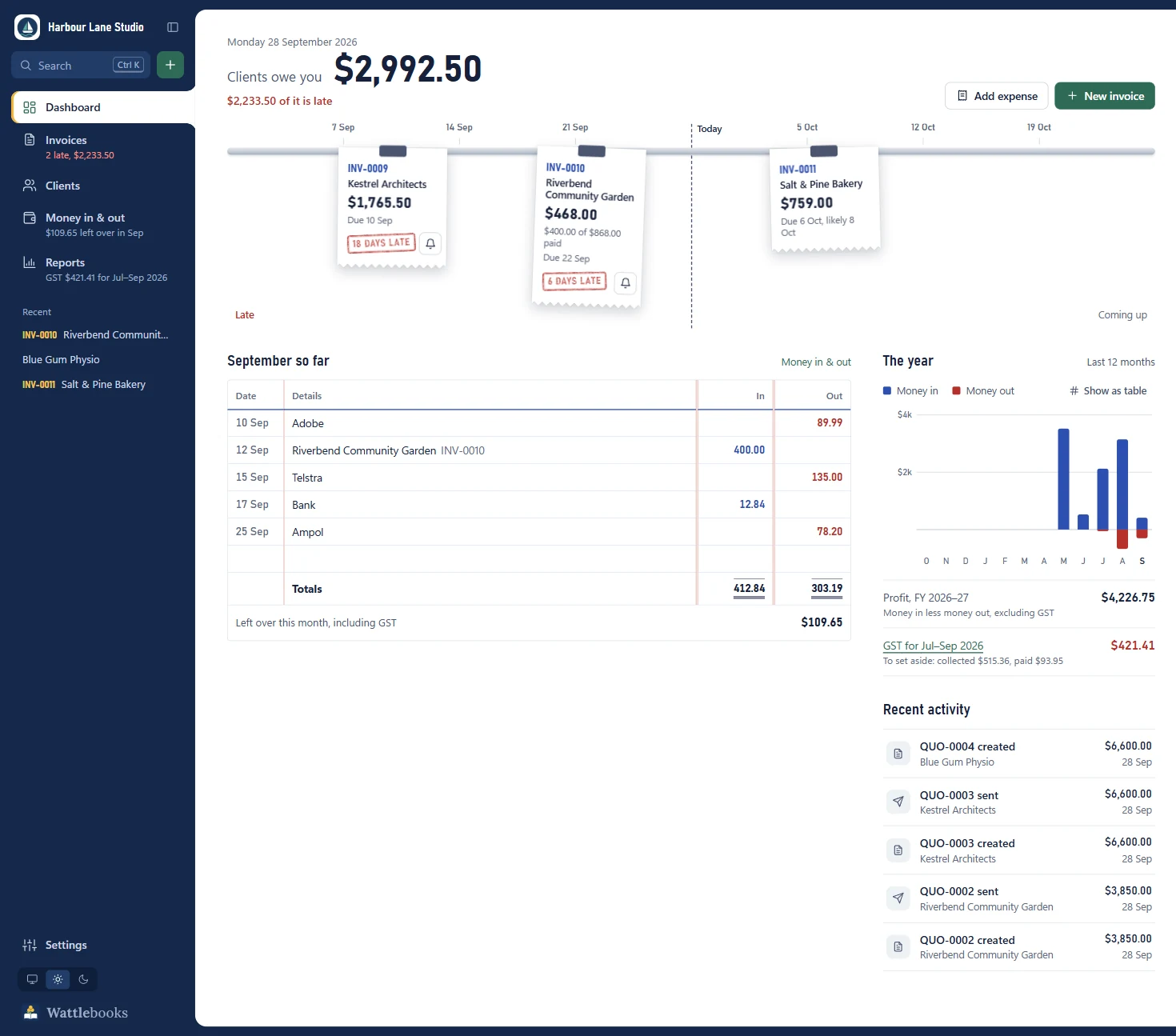
Know who owes you, and chase them politely
Every invoice carries your ABN, the GST and the "Tax invoice" heading. Unpaid invoices hang on the dashboard at their due date, stamped with how late they are, above this month's cash book and your GST for the quarter.
- Email an invoice in one click, with the PDF attached in classic Outlook
- Chase late payers with a friendly, firm or final reminder
- Quotes that turn into invoices, and invoices that repeat monthly
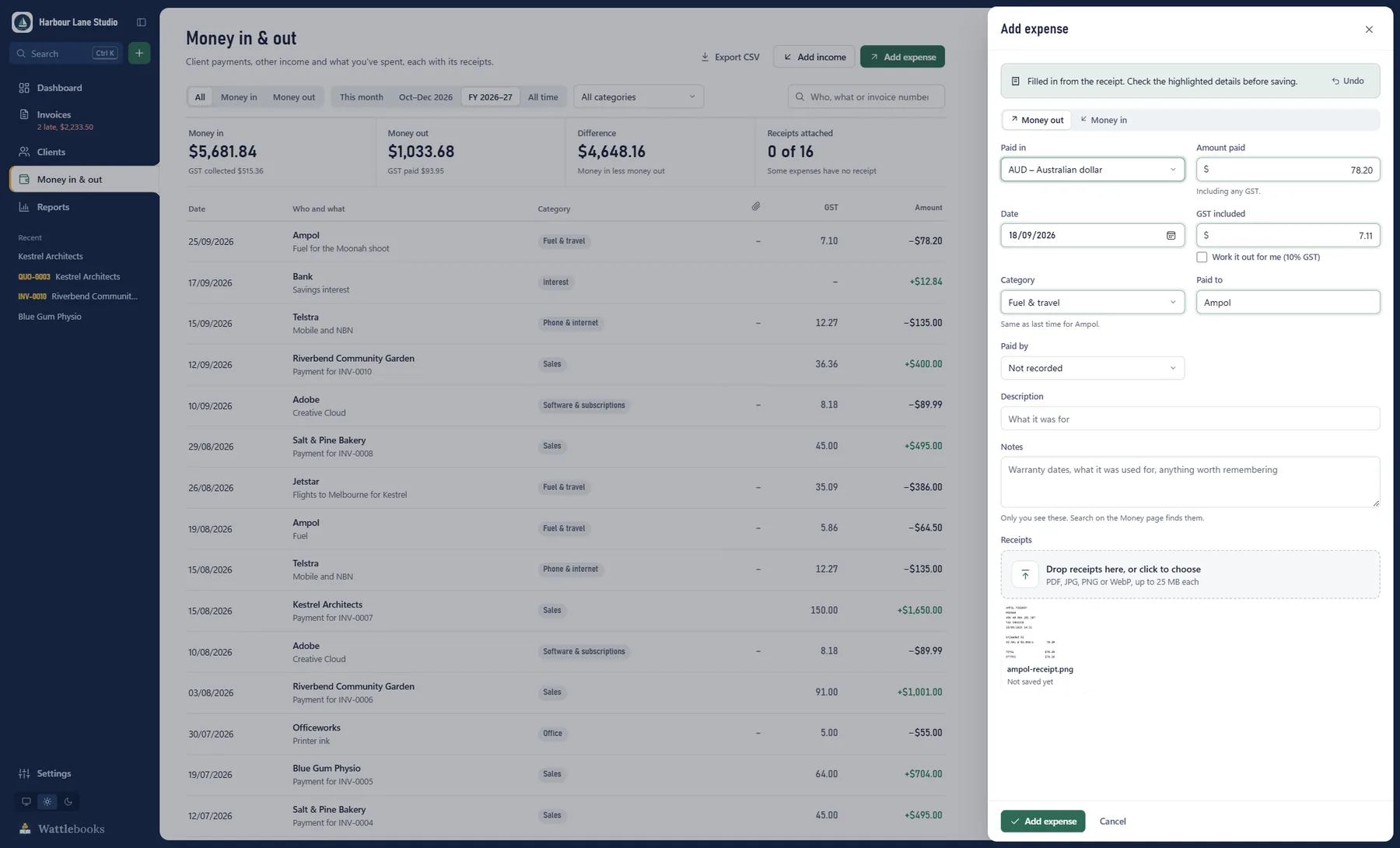
Drop in a receipt and it fills in the expense for you
Drag a photo or PDF of a receipt onto the Money page. Wattlebooks reads the supplier, date, amount and GST, and highlights what it filled so you can check it.
Uses the text reader built into Windows, so the receipt never leaves your computer.
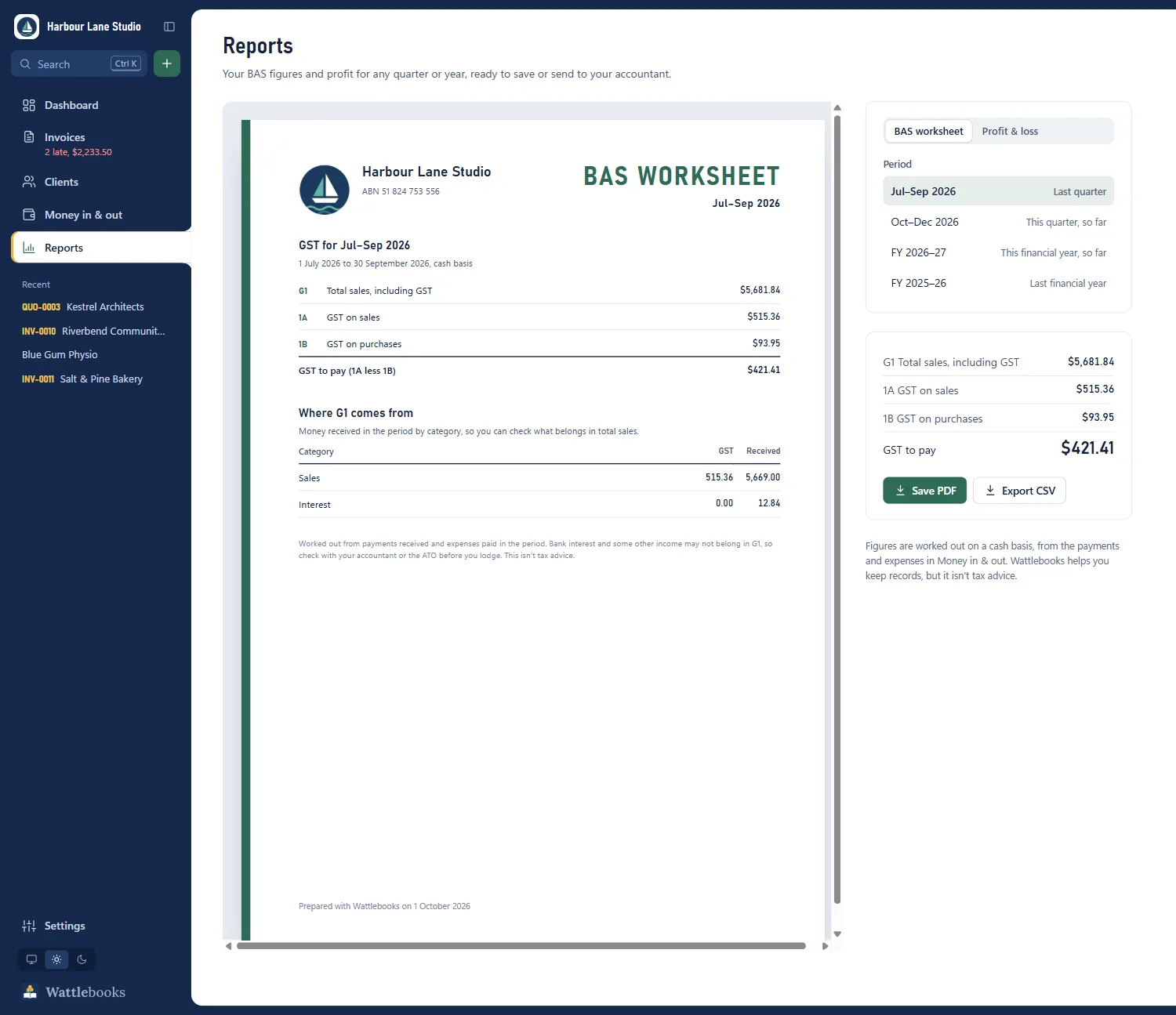
Your BAS figures, ready when the quarter ends
Reports work out the boxes you fill in on your BAS for any quarter or financial year, plus a profit and loss. Save them as PDF or CSV for your accountant.
Not in Australia?
It's also on the Microsoft Store and set up for four more countries.
Pick your country and the tax, tax number, bank details, financial year and tax return follow. Clients can be anywhere in the world, billed in their own currency.
| Country | Tax | Tax return |
|---|---|---|
| AUAustralia | GST 10%, ABN | BAS worksheet (G1, 1A, 1B) |
| NZNew Zealand | GST 15% | GST return (boxes 5 to 15) |
| UKUnited Kingdom | VAT at 20%, 5%, 0% or exempt | VAT return (boxes 1 to 9) |
| CACanada | GST or HST by province | GST/HST return |
| USUnited States | Sales tax at your rate | Sales tax summary |
AUD NZD GBP CAD USD EUR SGD HKD CHF SEK NOK DKK ZAR
New, and free while it's a pilot.
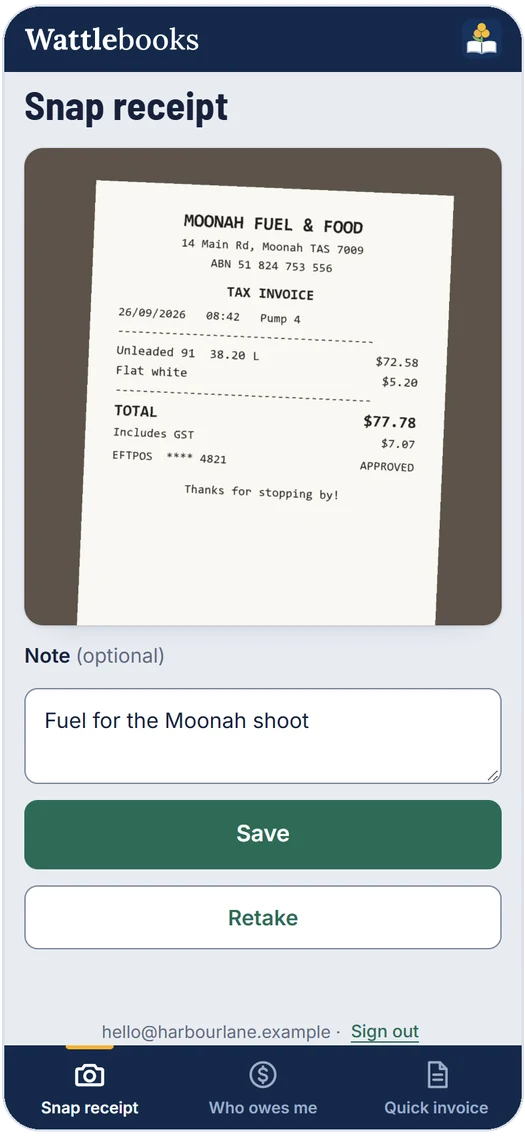
Snap receipts on site with your phone
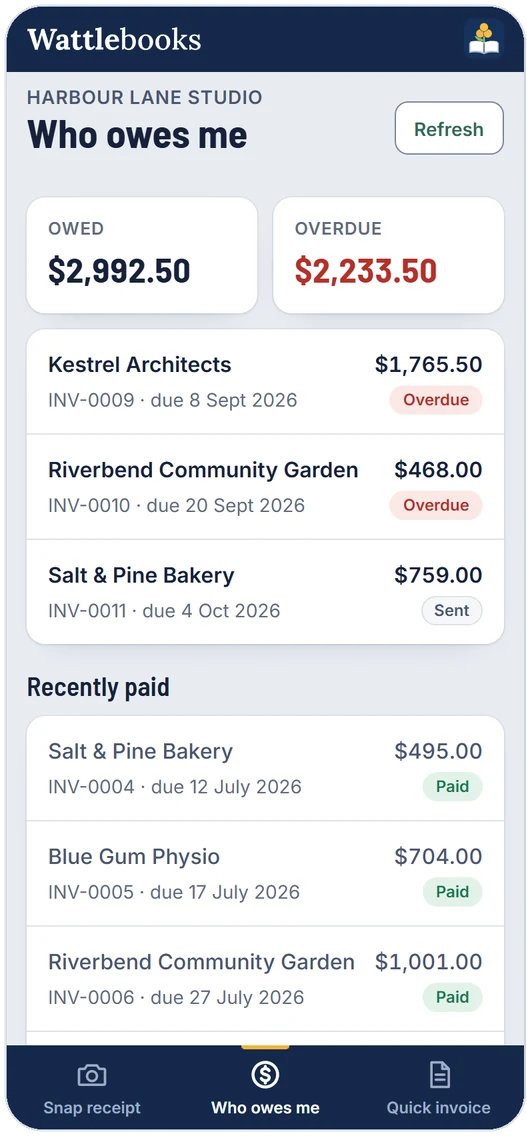
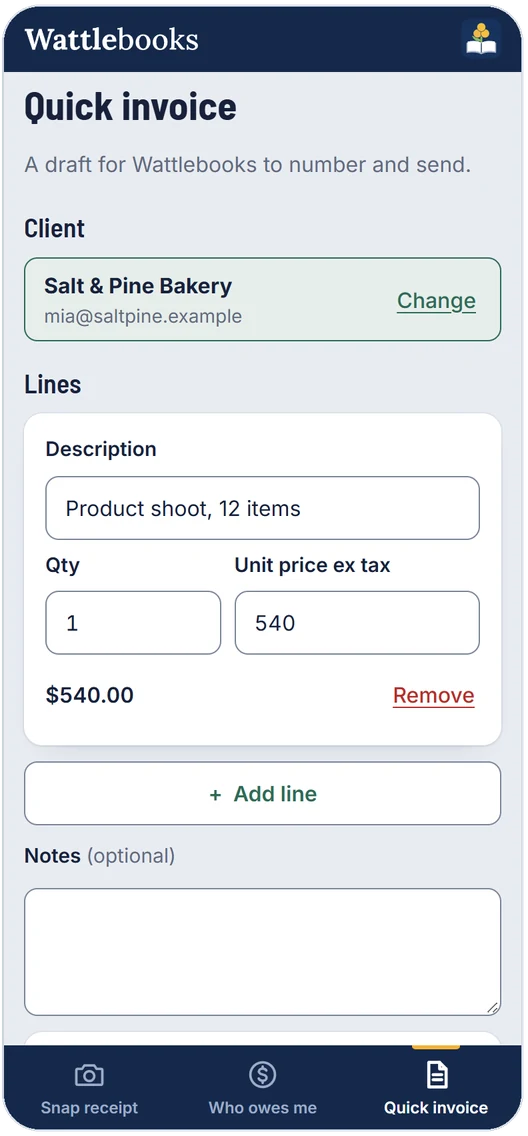
The optional phone app sends receipt photos and quick invoices back to your computer, and shows who still owes you. It works offline and catches up when you have signal.
To set it up, sign in under Settings > Phone in Wattlebooks on your computer. Then open app.wattlebooks.work on your phone, sign in with the same email and add it to your home screen.

Point your phone's camera here to open the phone app.
Works in the browser on iPhone and Android. Your computer stays the only full copy of your books.
A few more things it does
- StatementsSend a client everything they owe, aged into 30, 60 and 90 days.
- How late each client paysSee each client's usual delay, and what's likely to land in the next 30 days.
- Remembers what you charged last timeLines suggest that client's last price. Expenses pick last time's category.
- Invoice layoutsClassic, modern or minimal, with your logo and colour.
- CSV exportHand your accountant invoices or money in and out as a spreadsheet.
- Search with Ctrl+KFind any client or invoice, or run a command.
- Light and dark themesFollows your Windows theme, or pick one.
- Back up to your cloud driveKeep your data in a OneDrive, Dropbox or Google Drive folder.
Things people ask
Is it really free?
Yes. There's no trial, no paid plan and no ads. It's open source under the MIT licence, and you can read every line on GitHub.
How is it different from Xero, MYOB or QuickBooks?
Those are monthly subscriptions that run online, with extras like bank feeds and payroll. Wattlebooks is free, keeps your books on your own computer and sticks to invoices, quotes, expenses and your GST. If you need payroll or bank feeds, one of those is the better fit.
Where are my invoices kept?
In a folder on your own computer. Nothing goes online unless you sign in to the phone app, and then only your open invoices, recent payments and client names are shared with your phone.
Can I use it outside Australia?
Yes. It has built-in tax rules for New Zealand, the UK, Canada and the US as well, and you can bill clients in any country in 13 currencies. Quebec QST and the provincial sales taxes in BC, Saskatchewan and Manitoba aren't covered yet.
Do I need the phone app?
No. It's an optional extra and the desktop app does everything on its own. If you want it, sign in under Settings > Phone on your computer, then open app.wattlebooks.work on your phone and sign in with the same email. It's free while it's a pilot.
Does it work on a Mac?
There's a Mac version marked as a preview, for Apple silicon and Intel Macs, and a Linux version too. Receipt scanning is Windows only for now.
Why does Windows warn me when I open it?
It won't if you install from the Microsoft Store, since Microsoft signs that copy. The plain .exe isn't code-signed yet, so SmartScreen may say it protected your PC. Click More info, then Run anyway. The code is on GitHub if you want to check it first.
I use the .exe. Can I switch to the Store version?
Yes, and your books come with you. Close the .exe, then install Wattlebooks from the Microsoft Store. If you'd moved your data to OneDrive, Dropbox or Google Drive, the Store version finds it by itself. If it opens with empty books instead, go to Settings > Your data, choose Use data from another PC and pick the InvoiceDesk folder. Type %LOCALAPPDATA% into the folder box to jump there. Nothing is copied or deleted, so just don't run both versions at once.
Does it replace my accountant?
No. It keeps your records and works out your GST figures, but it isn't tax advice. Check your BAS with your accountant or the ATO if you're unsure.
Wasn't this called InvoiceDesk?
Yes. InvoiceDesk is now Wattlebooks, with a new look. Your invoices, clients and settings carry over as they are, and the Windows download is now Wattlebooks.exe.
Send a message
Found a bug, or want your country's tax rules added? Send a message and you'll get a reply by email, or open an issue on GitHub.
Your name and email are only used to reply. See the privacy statement.
Got an invoice to send?
Free for Windows, with Mac and Linux versions too.